3D Vault by ADK Workshop

Every 3D model you own.
One fast, searchable library.

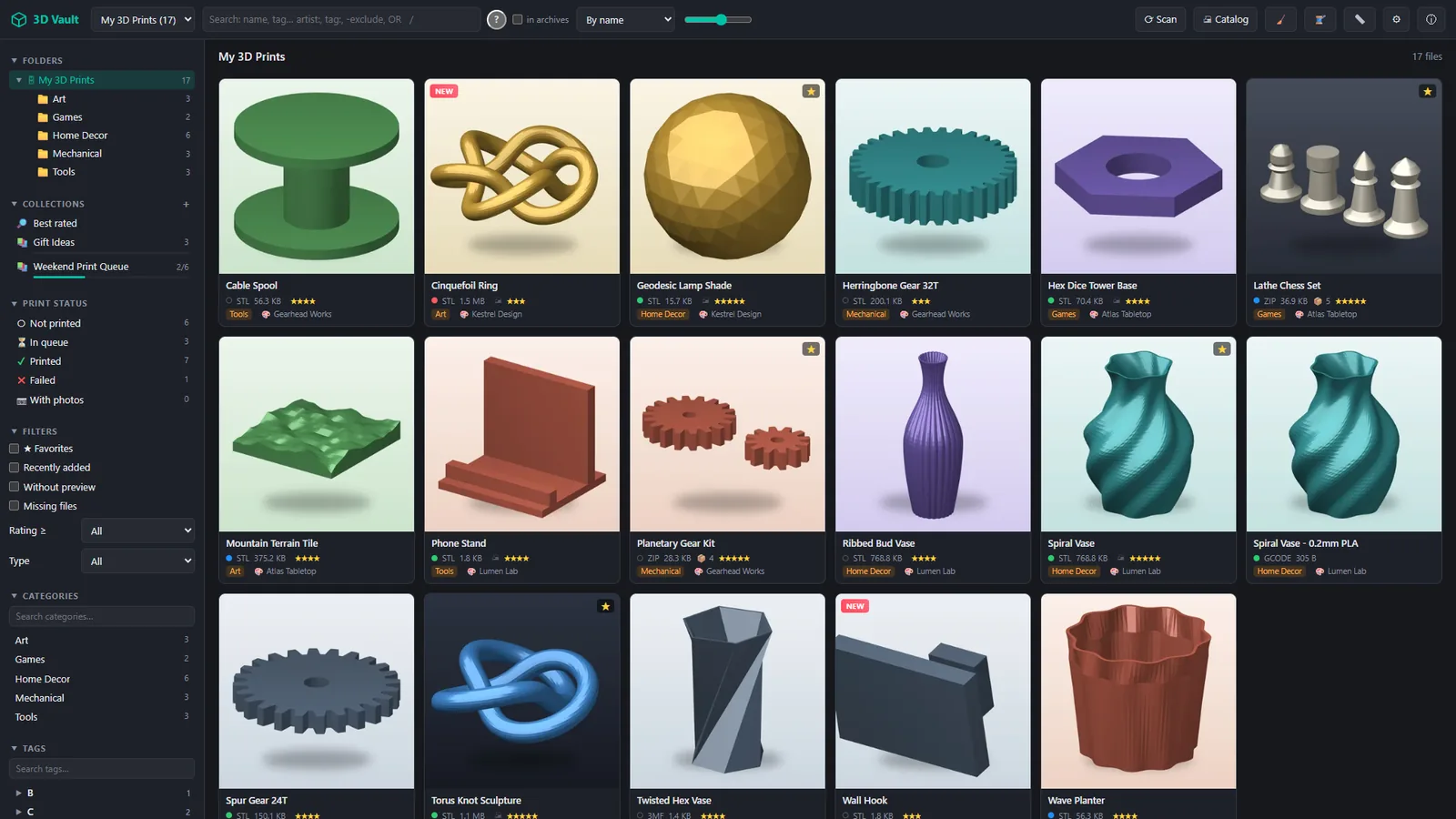
3D Vault turns the folders, drives and network shares where you keep your STL, OBJ, 3MF and G-code files – even the ones packed inside ZIP, RAR and 7z archives – into a visual catalog you can search in milliseconds.

Coming soonon the Microsoft Store · Windows 10/11 Watch the 1-minute tour

Free version with every feature · No account · Your files never leave your computer

3D Vault library with previews, folders and collections

Features

Built for people with too many models

Thousands of downloads, Patreon packs and remixes, spread across disks and archives. 3D Vault finds, previews and organizes them without moving a single file.

Find any model in seconds

Search by name, tag, category, artist, rating, size, file type or print status – with AND / OR / NOT and parentheses. Suggestions appear as you type.

  • Searches inside archives, not just file names
  • Smart collections save any search
  • Fast on libraries with tens of thousands of files
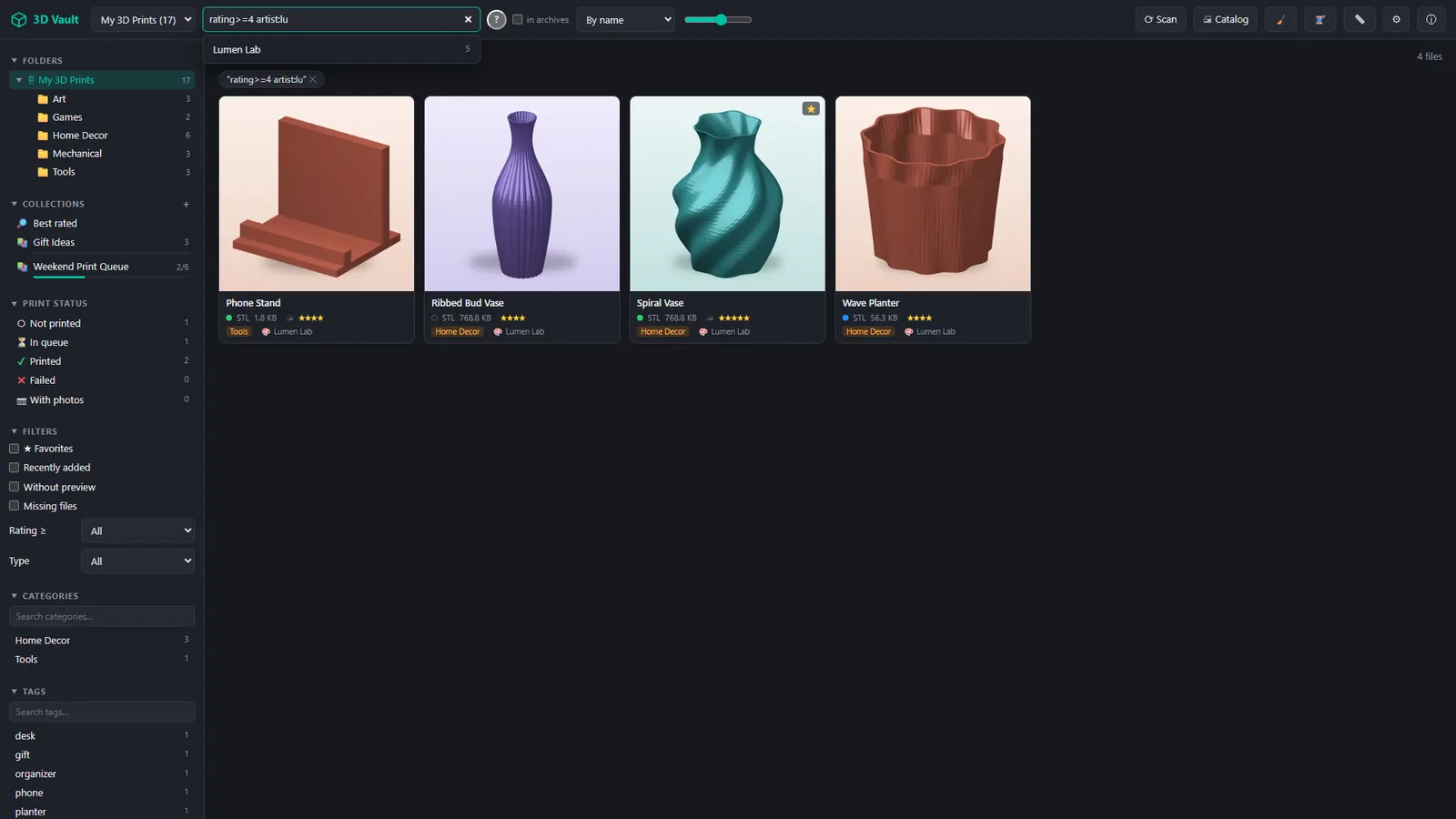
Advanced search with suggestions

Look inside archives – in 3D

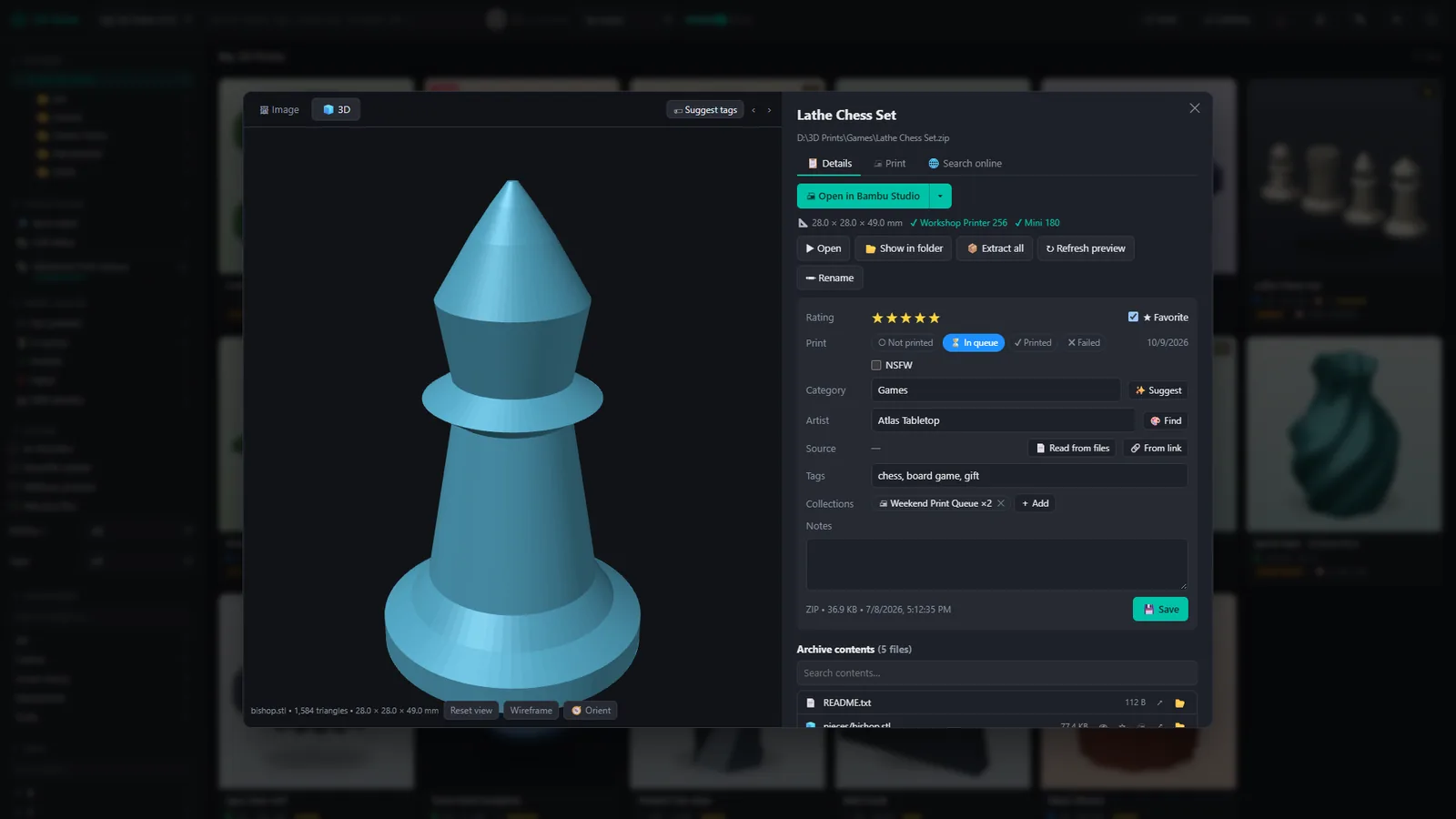
Open a ZIP, RAR or 7z and see every part with its own preview. Inspect any STL, OBJ or 3MF in the built-in 3D viewer before you extract anything.

  • Previews from included images, 3MF/G-code thumbnails or a 3D render
  • One click sends models to Bambu Studio, OrcaSlicer, PrusaSlicer, Cura and others
Archive contents and 3D viewer

Print-ready orientation

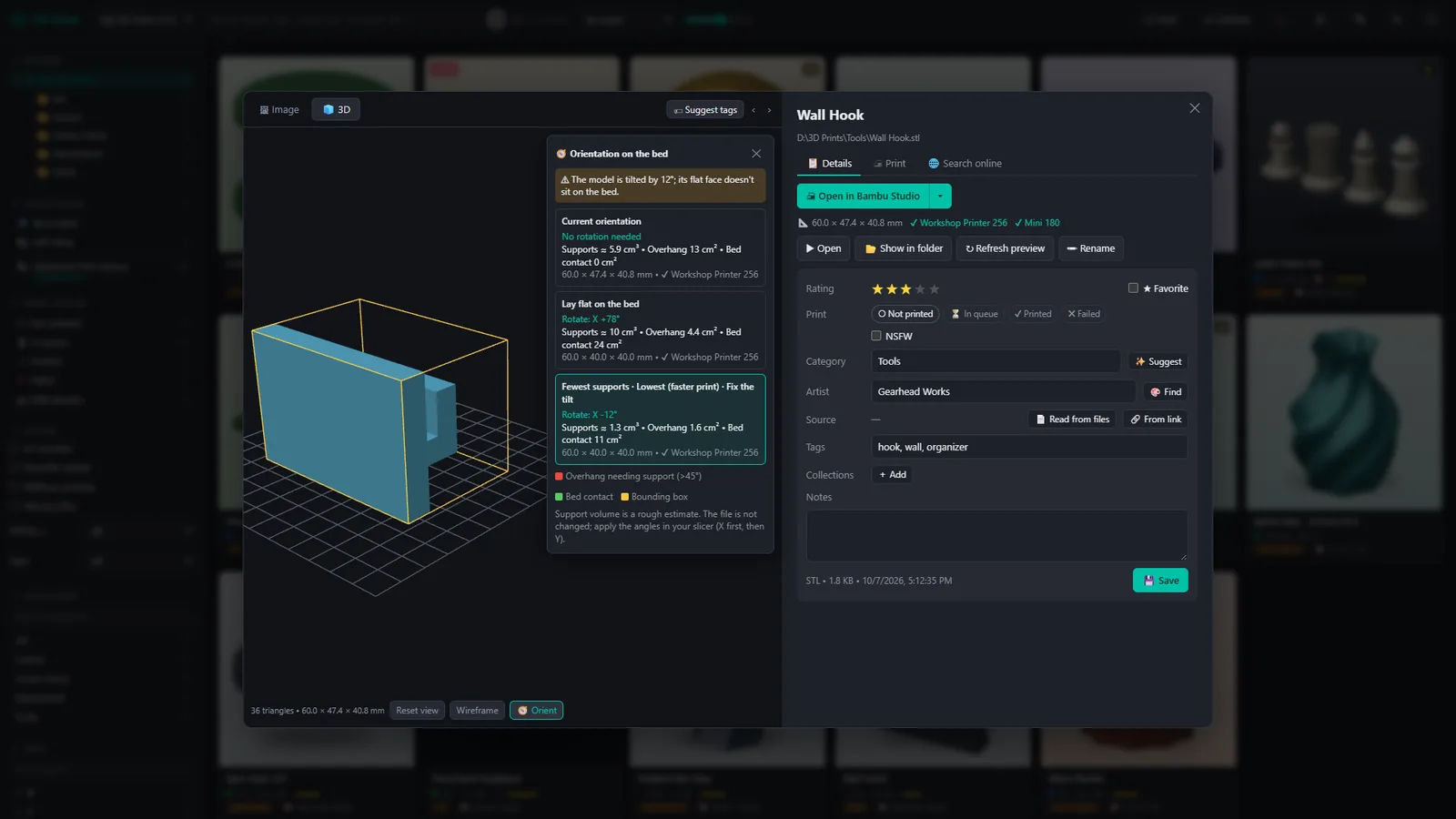
3D Vault analyzes how a model sits on the bed and suggests better orientations: lay flat, fewest supports, lowest height. It warns you when a model was exported slightly tilted.

  • Overhang and bed-contact preview
  • The exact X/Y angles to enter in your slicer
  • Size check against your printers' build volumes
Orientation suggestions with overhang preview

Know the cost before you print

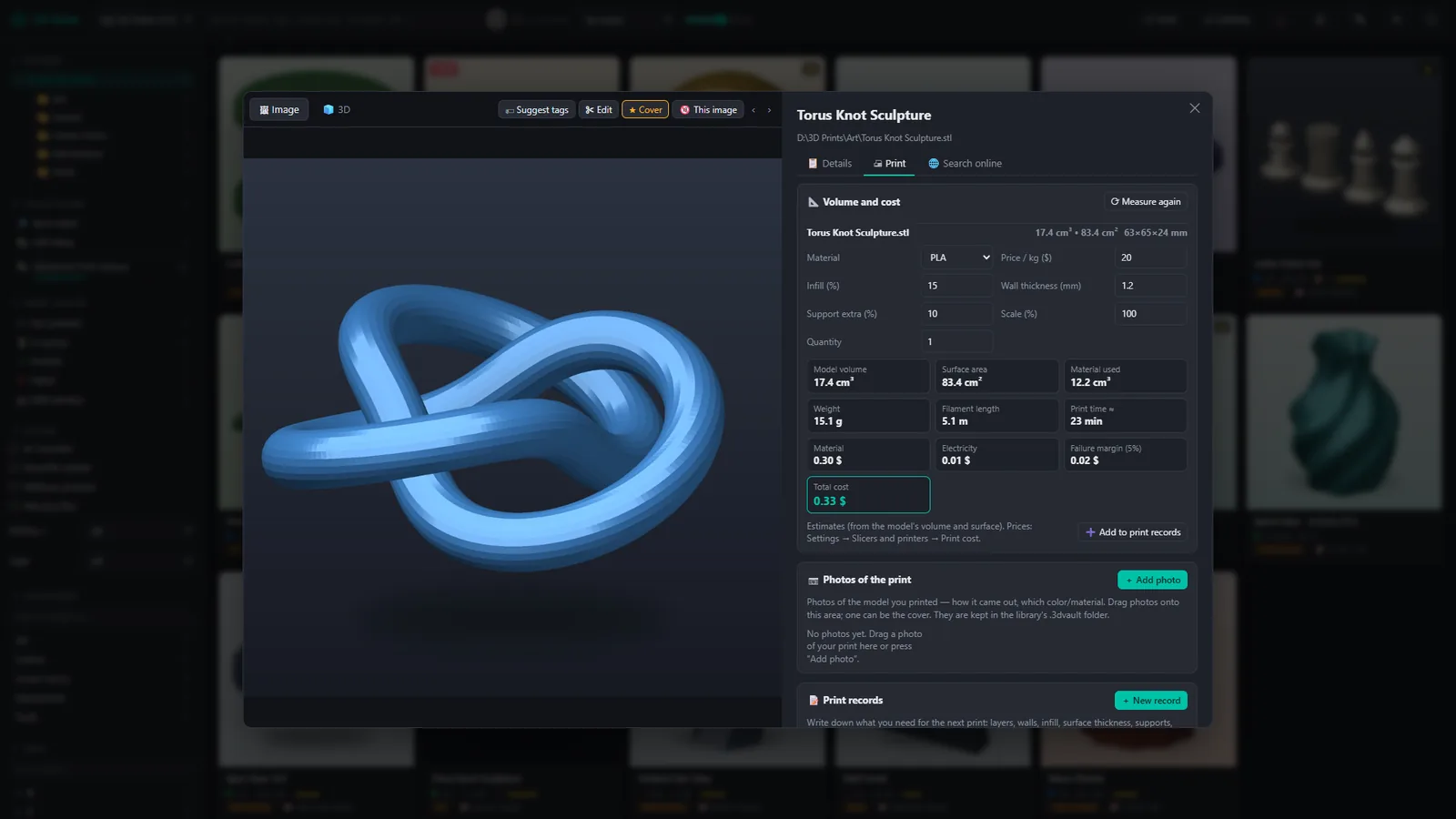
Volume, weight, filament length, print time and cost estimates for every model – or the exact values read from sliced G-code and 3MF files.

  • Print records with settings, results and photos
  • Send G-code to OctoPrint, Moonraker (Klipper) and PrusaLink printers
Print tab with cost estimate

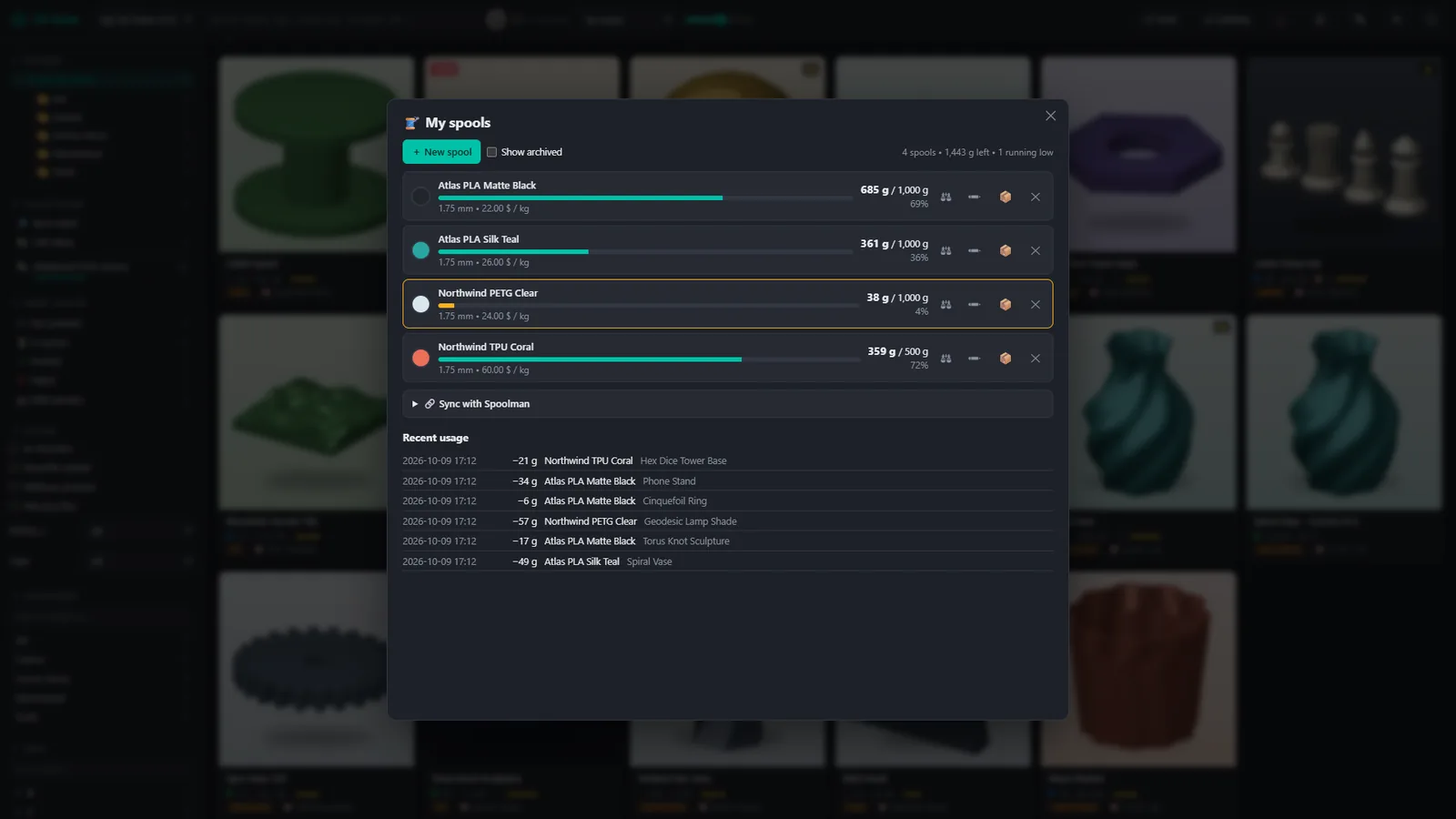
Keep track of your filament

Brand, material, color, amount left and price for every spool. Filament used in a print record is deducted automatically, and you are warned when stock runs low.

  • Optional sync with your own Spoolman server
Filament spools

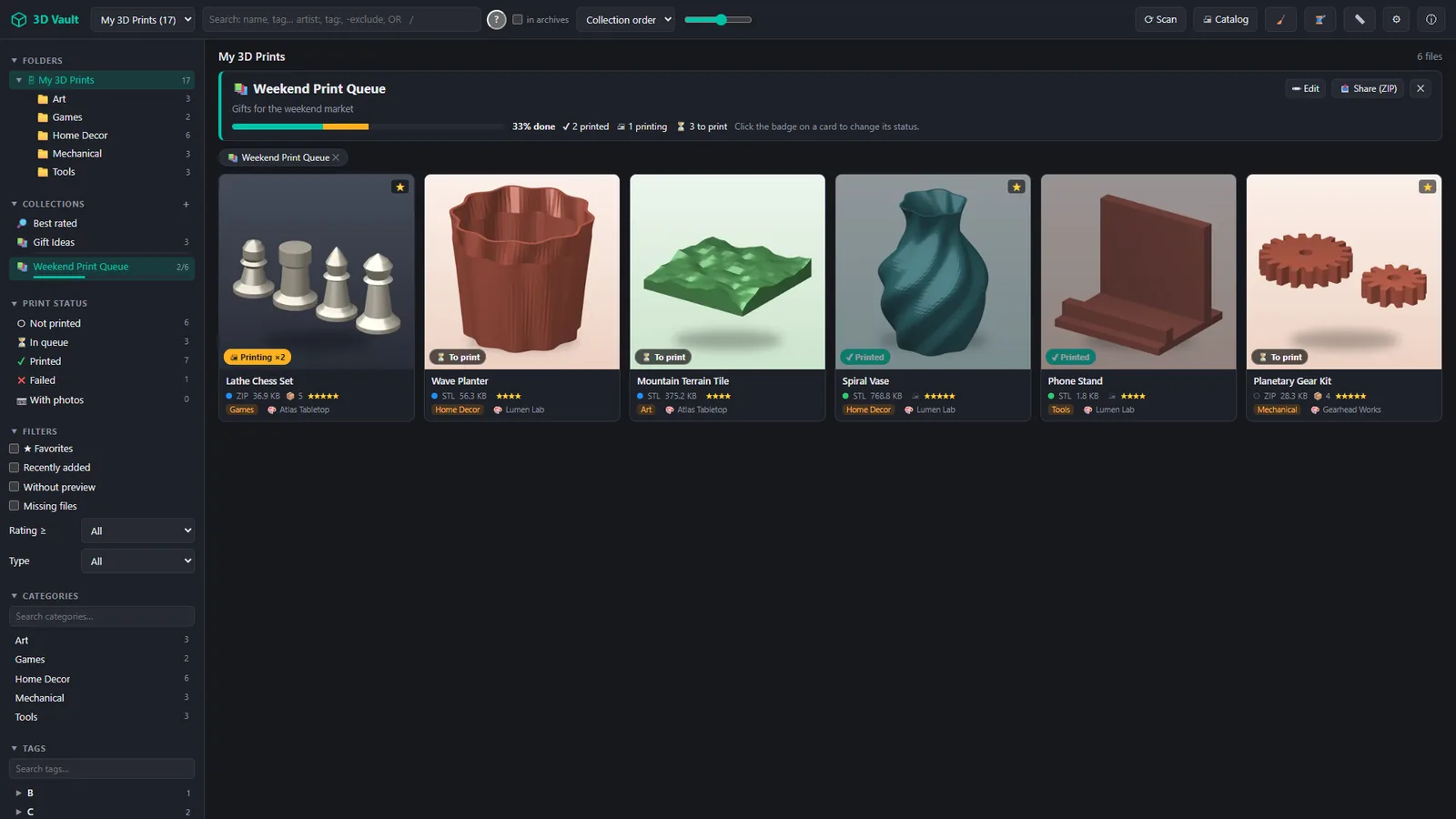
Plan prints with collections

Group models into collections and print queues with to-print, printing and printed states. Share a whole collection – models, settings and photos – as a single ZIP.

Collection used as a print queue
🔒

Private by design

No account, no cloud, no telemetry. Notes and previews live next to your library.

🧳

Portable libraries

Move the folder to another PC or a NAS and everything comes with it.

🏷️

Bulk editing

Tags, categories, artists, ratings and status for hundreds of files at once.

📄

Artist & license

Read from README/LICENSE files and model pages like Printables and Thingiverse.

🧹

Duplicate finder

Finds copies across folders and archives, with a quarantine you can undo.

📱

On your phone

Optional PIN-protected access from phones and tablets on your home network.

🖼️

Image editing

Rotate, flip and crop cover images without leaving the app.

🌗

Dark & light

Dark and light themes, English and Turkish interface.

Tour

3D Vault in 60 seconds

Pricing

Try everything free. Pay once if you need more.

No subscription. The free version has every feature; Pro removes the size limits.

Free

$0
forever
  • Every feature
  • 1 library
  • Up to 500 files
  • Free updates

3D Vault Pro Launch offer

$14.99$19.99
one-time purchase · first two months after launch
  • Every feature
  • Unlimited libraries
  • Unlimited files
  • Lifetime license with all future updates

Pro is an in-app purchase through the Microsoft Store, tied to your Microsoft account. Local prices may vary.

FAQ

Questions

Does 3D Vault move, rename or upload my files?

No. Your files stay exactly where they are. 3D Vault stores its previews and notes in a hidden .3dvault folder inside each library, so nothing is uploaded and nothing is reorganized unless you ask for it.

Which file types are supported?

STL, OBJ, 3MF and G-code, plus models inside ZIP, RAR and 7z archives. Images next to a model or inside its archive are used as previews.

Can I use a library on a NAS or network share?

Yes. Add any folder you can open in Windows – local disk, external drive or network share. Because the library data is stored with the files, another PC can open the same library later.

What happens when I reach the free limit?

The free version shows one library with up to 500 files and keeps every feature. Upgrading to Pro unlocks all your libraries and files instantly – nothing needs to be rescanned by hand.

Is Pro a subscription?

No. Pro is a one-time purchase with a lifetime license, including all future updates.

Does it need an internet connection?

No. 3D Vault works fully offline. It only connects when you use an online feature such as searching Printables or reading a model page – and only to the site you chose.

Is there a Mac version?

Not yet. 3D Vault currently runs on Windows 10 and 11 (64-bit). A macOS version is planned.